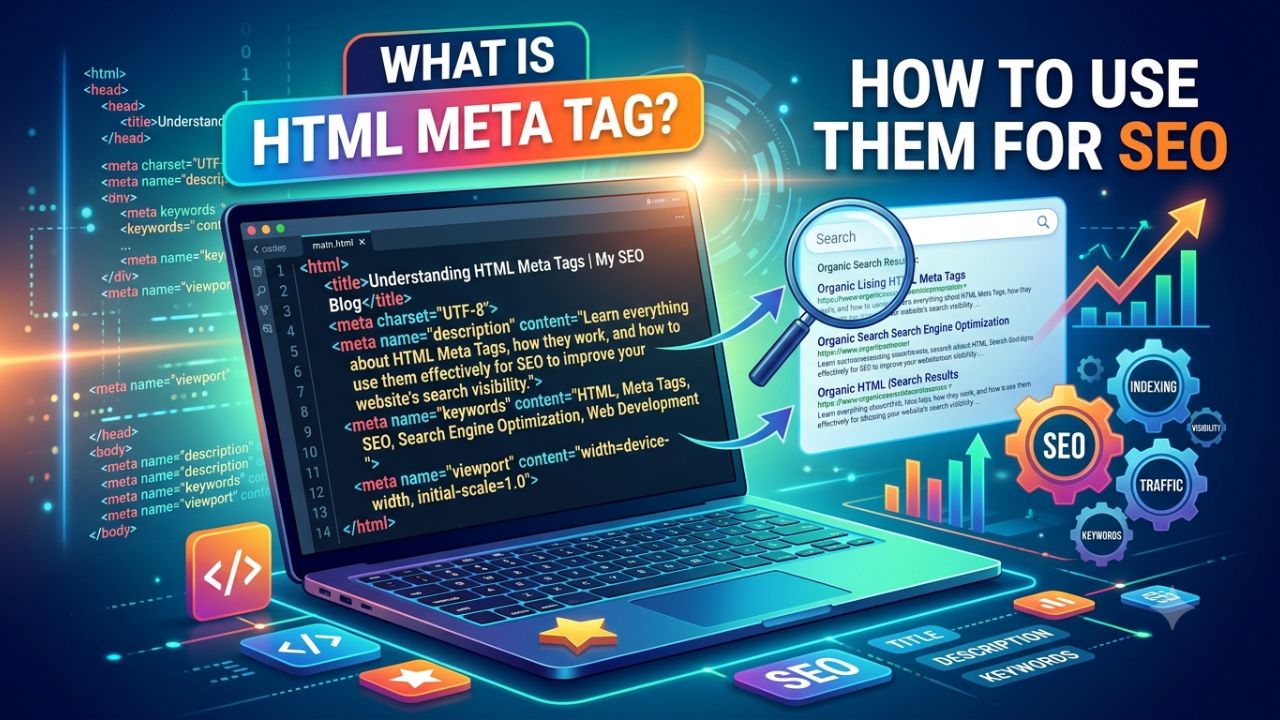
Meta tags are HTML elements that provide information about webpages to search engines. This requires leveraging SEO and optimizing your site, alongside creating quality content for your website or blog. Meta tags play a vital role in on-page SEO optimization.
HTML Meta tags (specifically, a coding statement) describes the content of a page. These meta tags provide search engines with all the information regarding your website page’s content. In this article, we will discuss all the different types of meta tags in detail.
What is HTML Meta Tag?
The <meta> tag defines metadata about an HTML document. HTML meta tags are special HTML tags that are crucial for how browsers and search engines display, interpret and index websites. As the name suggests, it informs search engines about the post’s title or topic.

Meta tags in HTML are fundamental for optimizing pages for search engines and improving rankings. Metadata will not be displayed on the page, but is machine parsable.
Meta tags can be found in the top of a webpage’s HTML code, also known as source code. As an example, here is the Impression website’s code:


<head>

<title>Web Page Title </title>
<meta charset=”UTF-8″>
<meta name="viewport" content="width=device-width, initial-scale=1">
<meta name="description" content="Web Page Description">
<meta name="robots" content="follow, index,">
<link rel="canonical" href="canonicalurl">
<meta name=”keywords” content=”Webpage Keyword ”>
<meta name=”author” content=”Webpage Author”>

</head>
Types of HTML Meta Tag
There are many types of meta tags, but below we discuss some important ones that are crucial for SEO.
Title Information
The element gives both search engines and users a brief overview of what a web page is about. The title of the page will appear as the title in the SERP.
<title>Not a Meta Tag, but required anyway </title>
Meta Description Information
The meta description is an important part of meta tags; it allows you to briefly inform search engines about the content of your post or article.
<meta name=”description” content=”write your description here”/>
Author and copyright information
To include author and copyright information in the source code, you can use the HTML meta tags author and copyright.
<meta name="author" content="Author"/>
<meta name="copyright" content="Copyright holder"/>
Robot Meta Tag
Using the Meta Robots tag, you can pre-configure which pages of your website should be indexed. Every website contains certain pages—such as admin login pages—that should not be indexed, as they are intended to be accessed only via their specific URLs.
index: The page can be indexed.
noindex: The page should not be indexed.
follow: Crawlers are allowed to follow links on the page.
nofollow: Crawlers should not follow links on the page.
nosnippet: Content may not be used as a featured snippet.
noarchive: The version of the page that is cached in Google should not be shown.
It is crucial for any website to include these tags. Some developers build websites without considering SEO, thereby making mistakes; therefore, always pay attention to Meta Tags.
- og:locale – Indicates the blog’s location (e.g., India, USA).
- og:type – Indicates the type of blog post.
- og:title – Indicates the title of the blog post.
- og:description – Indicates the description of the blog post.
- og:url – Indicates the URL of the blog post.
- og:updated_time – Indicates the time the blog post was uploaded or updated.
- og:image – Indicates the photo used in the blog post.
- og:image:alt – Indicates the image’s Alt Text.
- og:image:type – Indicates the image format (e.g., jpg, png, or jpeg).
What is the importance of a meta description?
Many bloggers do not use meta descriptions on their blogs. If you do not write a meta description, it effectively means you are out of the competition in the SERPs (Search Engine Results Pages).
You should write your meta description in accordance with SEO best practices so that Google displays it in the search results. If Google does not consider it suitable, it decides for itself what to display for that tag.
How to optimize the meta description
If you want to rank your website on SERPs, it is crucial to optimize meta properties. We explain this in detail below.
1. Write a meta description for every post
A meta description is just as important for a post as the blog title is for the blog itself. You need to write the meta description to match the specific content of your post. If the meta description does not align with the actual content.
Visitor who arrives at your website after reading the description will find different content upon arrival, making them feel misled or cheated.
Consequently, they will leave your website, causing your site’s bounce rate to increase.
2. Meta description length
Meta descriptions and meta titles have fixed length limits; if your title or description exceeds this limit, Google will not be able to display it in full.
3. Use Keyword in Meta Description
We conduct keyword research before writing an article. To ensure the post reaches an audience, we utilize search engines; this involves incorporating targeted keywords into the blog content to optimize the post for SEO.
“On Page SEO”—specifically the proper use of keywords while writing—can help Google rank your post or article highly in search results.
It is crucial to conduct keyword research, select the best keyword, and include it in the post title, content, and meta description. Many bloggers use keywords in the content and title but fail to add them to the description.
As a result, Google cannot properly understand what your post is about, which prevents it from ranking well on the search engine.
Conclusion
Meta tags allow search engines and users to better understand your content. When you use the right meta tags on your website, they tell search engines everything about your website.
Here you learned what meta tags are. If you apply the meta tag and meta description tips shared here, your post will certainly rank well. Be sure to share this post on Facebook, Twitter, and Instagram.
Frequently Asked Questions
Is SEO just meta tags?
Meta tags are an essential part of any successful onpage SEO strategy.
Does every page need metadata?
Every page on your website should have metadata, but create meta description for every page is little difficult.