Website Loading Test Tool – Website Speed Testing Tools 2026
How long does it take for your WordPress website to load? Here, we have listed down the best website speed test tools and each of them has unique features.

It is important to check your site speed on a regular basis.You can easily check a website speed using website loading test tools. To rank well in search engines, a website needs to have a fast loading time.
If your website or blog loads quickly, search engines index your content faster, and the user experience also improves. This is why many SEO experts recommend website speed optimization.
The load time for any website or blog should be between 1 and 2 seconds. Google penalizes websites with long loading times. It is not just our opinion; Google’s algorithm guidelines state that if your website’s loading speed is slow, it will not rank well, or its ranking will drop.
No matter how well you optimize your website for SEO, every blogger should periodically check their website’s loading speed. Here, we explain the methods for checking your website or blog’s loading time.
What do website speed test tools analyze on your website?
These tools analyze all the essential aspects of your website, enabling you to effectively rank it in search engines.




- Check load times, page sizes, and requests
- Check website performance from different geographical locations
- Check HTTP headers
- Check redirects
- Check for minification
- Analyze Time to First Byte (TTFB)
So, let’s find out what those four website speed test tools are and how we can use them.
Website Speed Testing Tools
These are the best tools available for checking website loading time. With these tools, you can not only check your site’s performance but also fix issues and improve it.
1. GTMetrix – Website Loading Test Tool
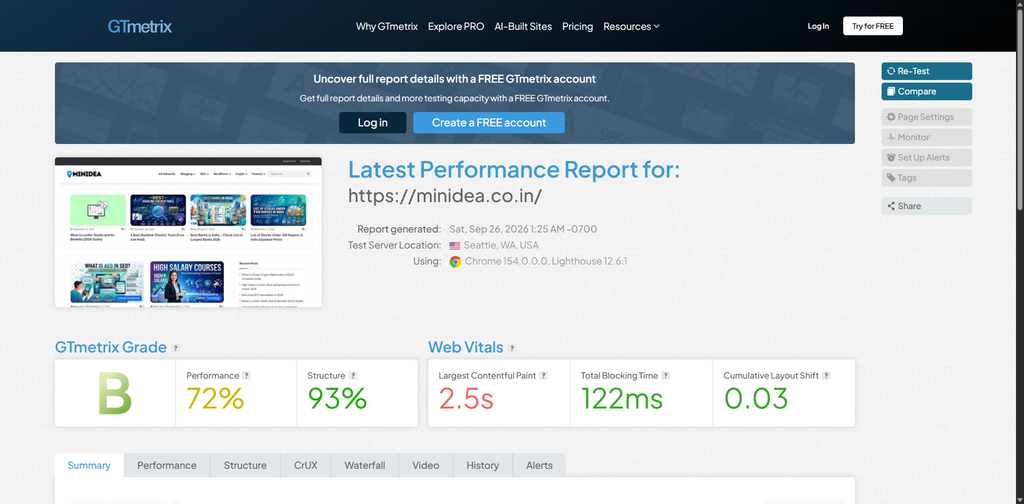
GTMetrix is an excellent, free tool for checking website speed. It allows you to easily reduce site loading times while also identifying errors on a webpage and providing tips for resolving them.
GT Matrix Features:
- Page Speed Score
- Yslow Score
- Fully Loading Time
- Total Page size
- Request
- Optimize recommend
- Compair With Another Website
It displays all results with full details, making it very easy to improve them. GTmetrix presents multiple results simultaneously, including Summary, Performance, Structure, and Waterfall.
This tool also offers a free GTmetrix plugin for WordPress websites; you can install it on your site to check your website’s speed whenever you wish.
Almost all web developers and hosting companies use GTmetrix to test website speed. A key feature is that it also allows you to compare websites.
2. Pingdom Speed Test Tools
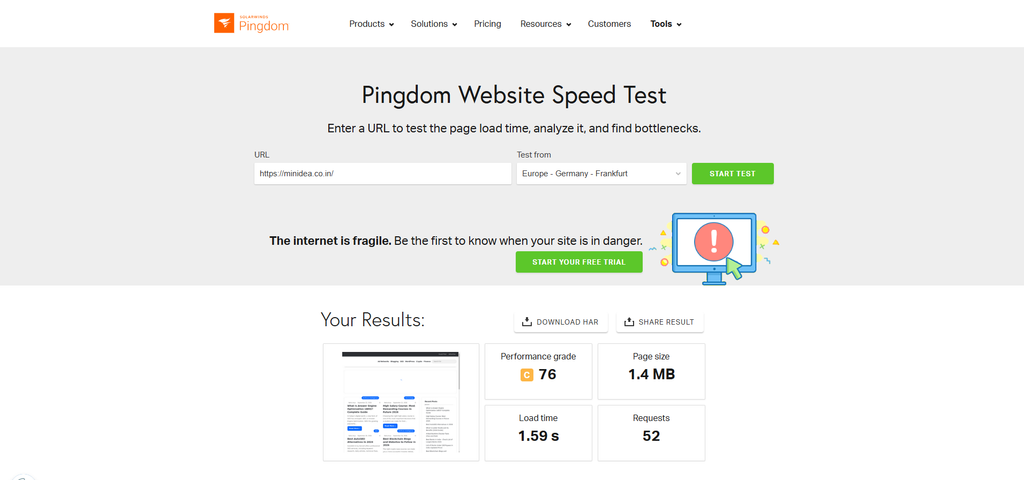
The next website speed test tool is Pingdom. It is another excellent online tool that allows you to check page load times and provides a comprehensive overview of your website’s overall performance. In addition to speed testing, the Pingdom tool also enables you to monitor website uptime.
Pingdom Fetures:
- Performance Grade
- Loading Time
- Page Size
- Request
- Improve page performance
- Content Size By content type
- Content Size By Domain
To do this, you simply need to enter your website’s URL into the search box. After a short while, you can perform a complete performance check of your site.
A key feature of Pingdom is that it allows you to test website speed from various locations. Based on the tool’s results, you can make changes to your website and reduce its loading time.
3. KeyCDN Website Speed Test
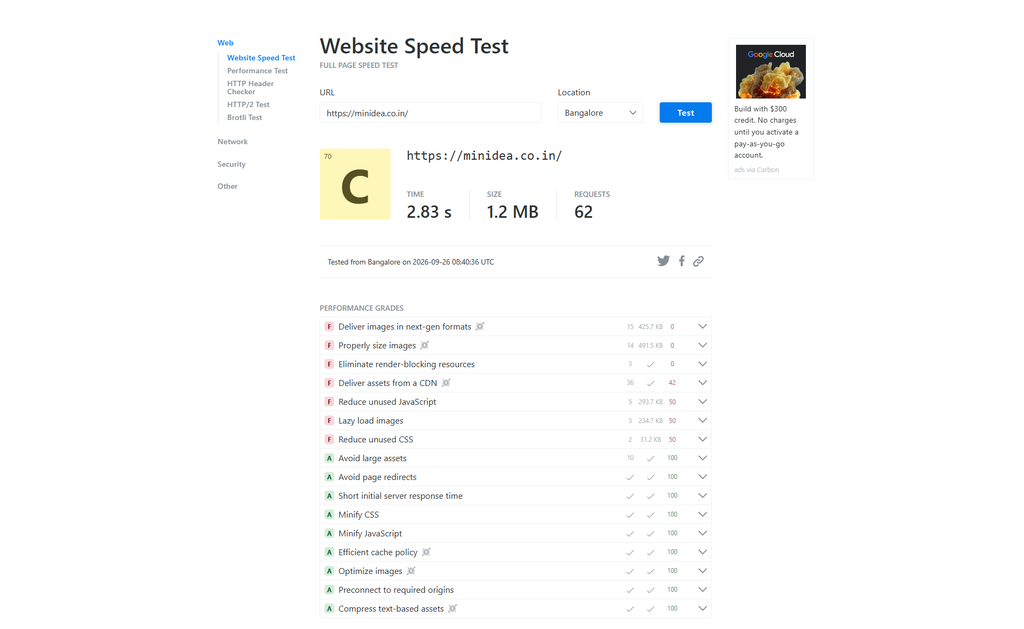
Keycdn is a quick and lightweight website speed test tool. It is amazingly easy and offers worthy information on the speed of each page. It helps you to know all the basics about the site speed.
Features of Keycdn web performance test
- Gives unique link and choice to keep result public or private.
- Report includes a waterfall chart and a preview
- Report about the number of HTTP requests
- Ping tester performs 14 different ping and latency tests.
- IPlocation lookup tool helps to know the IP addresses and hostname
- Includes HTTP status code, DNS and others.
- Test is HTTP/2 making it most advance test of the performance.
KeyCDN Website Speed Test is a highly efficient and free web performance tool. It will also inform you about any errors that are delaying your site.
4. WebPage Test
WebPageTest tool is another free online website speed test tool that you can use. These are excellent tools that will provide you with valuable insights regarding the overall loading time. For the website speed test results, this tool runs the test times.
You also get a complete optimization checklist, under the Performance Review with tips to optimize your page speed. It shows detailed reports of each result.
5. Google Page Speed Insights
This is a free product from Google that indicates your website’s speed score. A key feature of this tool is that it displays speed metrics for both mobile and desktop. It is widely trusted and provides suggestions to help improve your website’s speed.
Google page speed test Fetures
- Mobile and Desktop Analyze
- Index speed time
- Lab data test
- Opportunities
- Diagnostic
6. Uptrends
Uptrends is another website performance monitoring tool that allows to choose a geographic region and browser location. The results are shown in a Google pagespeed score in the summary and easy to understand.
Features of uptrends
- The final report has two sections: a waterfall breakdown and domain group
- Get data from real site visitors with Real User Monitoring.
- Multi-step API monitoring to control APIs.
- Synthetic monitoring to sky-rocket your website performance
- Third party monitoring with the Full Page Check.
How to Improve Website Loading Time
You can use the WP Total Cache plugin to improve your blog’s loading time. Additionally, you can use a CDN and optimize your website’s images to increase the site’s speed.
Frequently Asked Questions
How can website performance testing tools help improve SEO?
Website performance testing tools can significantly improve your SEO, so improving your site’s performance can boost your search engine rankings.
What is the most accurate speed testing tool?
For WordPress users, PageSpeed Insights gives reliable in-dashboard insights.
Why do speed test results fluctuate?
Results may vary due to factors such as server load, network conditions, caching, or third-party scripts.
What is a good PageSpeed score?
On Google PageSpeed Insights, 90 or above is excellent, 50–89 shows room for improvement.
Conclusion
In the above list, we have listed down the best website speed test tools. You can choose any one of them and have a constant check and diagnosis of your website’s performance. These free website speed test tools will render you great help to check site speed.
If you have any questions regarding these tools, feel free to ask in the comment section. That’s all for today, friends. If you liked this post, please be sure to share it with your friends on social media.