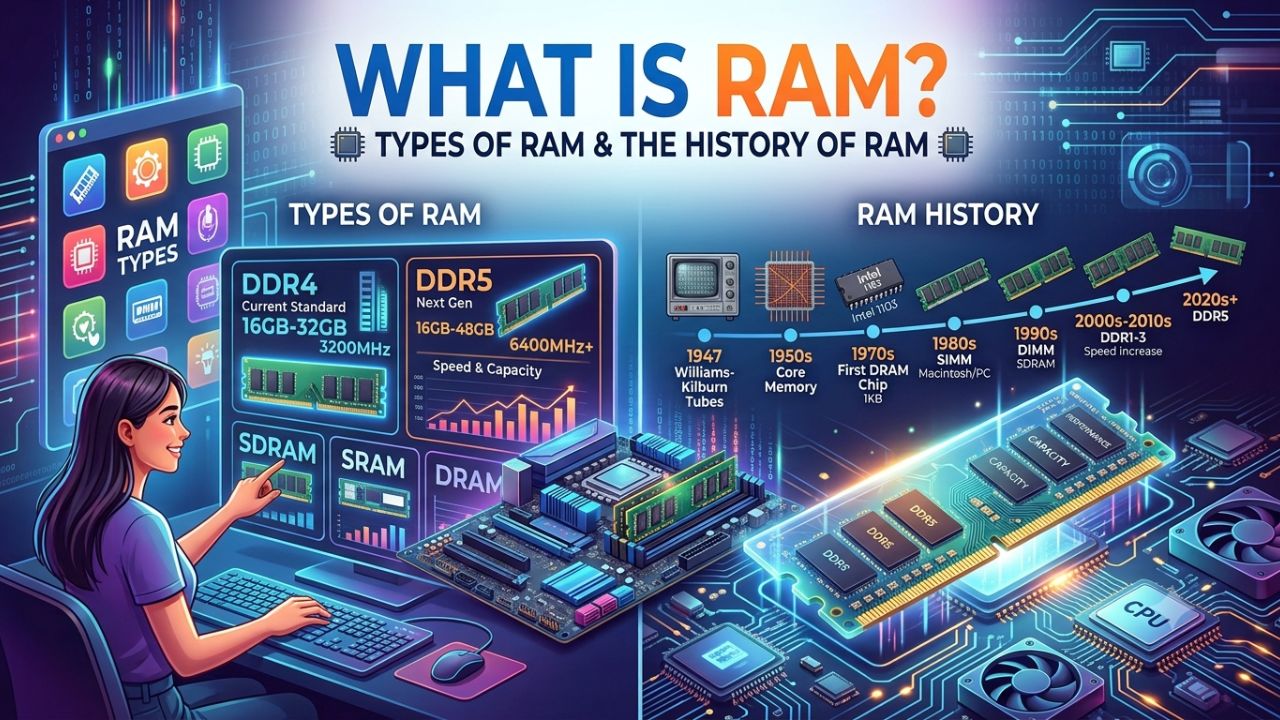
RAM (Random Access Memory) is a type of computer memory used to store data that is actively being used or processed by the computer. It is called “Random Access” because it allows the computer to directly access any part of the stored data, rather than having to search for it sequentially.
RAM is volatile memory, meaning it is cleared when the computer is turned off. It is used to store data that is actively being used by the computer’s operating system and applications, as well as data currently being processed by the computer’s processor.
What is RAM?
RAM is one of the most fundamental components of a PC. In short, without RAM, computers large and small are really just expensive calculators. RAM is a volatile, high-speed memory used by the computer’s processor to store actively used data, ensuring tasks run smoothly.
Generally, the more RAM a computer has, the faster it can perform tasks. This is because the computer can store more data in RAM—and access it more quickly—rather than having to retrieve it from a slower hard drive or other storage device.
History of RAM
In the 1940s and 1950s, early computer systems like ENIAC utilized memory for data storage; however, this process involved transmitting acoustic waves through tubes of liquid mercury and subsequently utilizing the resulting echoes. Later, magnetic core memory began to gain prominence, employing magnetism to store information within arrays of ferrite cores.



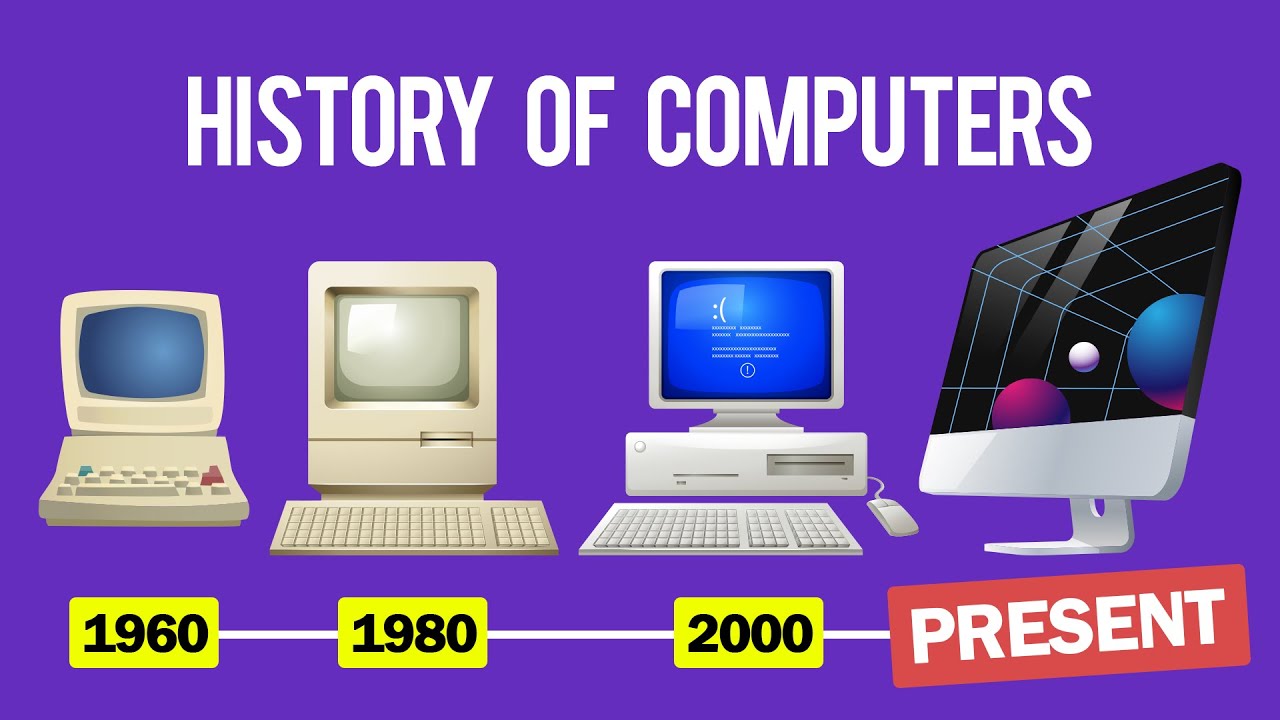
Over time, RAM has continuously improved in terms of both capacity and performance. Simultaneously, prices have steadily dropped, making it more affordable. Currently, DDR3 and DDR4 are in use, and the modern DDR5 RAM is set to launch soon.
Different Types on RAM
There are two main types of RAM: Dynamic RAM (DRAM) and Static RAM (SRAM). DRAM is the most common type of RAM and is used in most computers, whereas SRAM is faster but more expensive and is primarily used in high-end servers and other specialized applications.
1. Dynamic RAM (DRAM)
This is the most common type of RAM and is used in most computers. It operates by storing each bit of data in a separate capacitor within an integrated circuit. The capacitor can hold a charge (representing a 1) or be discharged. To maintain the data stored in the capacitor, the charge must be refreshed periodically; this is why it is called Dynamic RAM. DRAM is relatively inexpensive and is widely used in personal computers, laptops, and other devices.
2. Static RAM (SRAM)
SRAM is faster than DRAM but more expensive to produce. It operates by storing each bit of data in a flip-flop circuit composed of six transistors. Since the data is stored within the circuit itself, it does not require refreshing like DRAM and can be accessed much faster. SRAM is primarily used in high-end servers and other specialized applications where speed is more important than cost.
There are several variants of both these types of RAM as well, including:
Synchronous DRAM (SDRAM): SDRAM is a type of DRAM that synchronizes with the system clock to allow for faster data transfer rates.
Double Data Rate (DDR) SDRAM
This is a type of SDRAM capable of transferring data twice per clock cycle, resulting in even faster data transfer rates. There are several versions of DDR SDRAM, including DDR2, DDR3, and DDR4.
Rambus DRAM (RDRAM)
RDRAM is a type of DRAM developed by Rambus Inc. that is designed to transfer data at very high speeds. It is primarily used in high-end servers and other specialized applications.
Synchronous SRAM (SSRAM): SSRAM is a type of SRAM that synchronizes with the system clock to allow for faster data transfer rates.
What does RAM memory do?
Having RAM is essential for any computer or mobile device. RAM serves several purposes in a computer; here, we discuss a few of them.
1. Storing Sata
RAM is used to store data that is actively being used by the computer’s operating system, applications, and other processes. This includes data currently being processed by the processor, as well as data being displayed on the screen or output to a printer or other device.
2. Improving performance
The more RAM a computer has, the faster it can operate. This is because the computer can store more data in RAM—and access it more quickly—instead of retrieving it from a slower hard drive or other storage device.
3. Running multiple programs
RAM allows a computer to run multiple programs simultaneously by allocating a specific space in memory to each program. Without sufficient RAM, the computer may slow down or crash if you attempt to run too many programs at once.
4. Virtual memory
If a computer runs out of physical RAM, it can temporarily use a portion of the hard drive as virtual memory to store data that does not fit in the physical RAM. This allows the computer to keep running, but it may slow down because it has to access the slower hard drive instead of the faster RAM.
How is RAM memory different from cache memory?
Cache memory and RAM actually have a lot more in common than RAM and storage do. Cache memory is much, much faster than RAM, but within a given chip’s architecture, the total cache capacity is much, much smaller than RAM’s.
Conclusion
Having RAM is essential for any electronic device; without it, a laptop or mobile phone is useless. Random access memory (RAM) provides fast and temporary storage of data and programs for quick processor access. This article provides a detailed explanation of what RAM is, the different types of RAM, and other related information.
Frequently Asked Questions
Why is RAM important on a computer?
RAM is vital because it allows your computer to process data quickly.
Is 64 GB of RAM worth it?
If you’re a serious gamer, video editor, or digital artist, 64 GB of RAM is sufficient.