

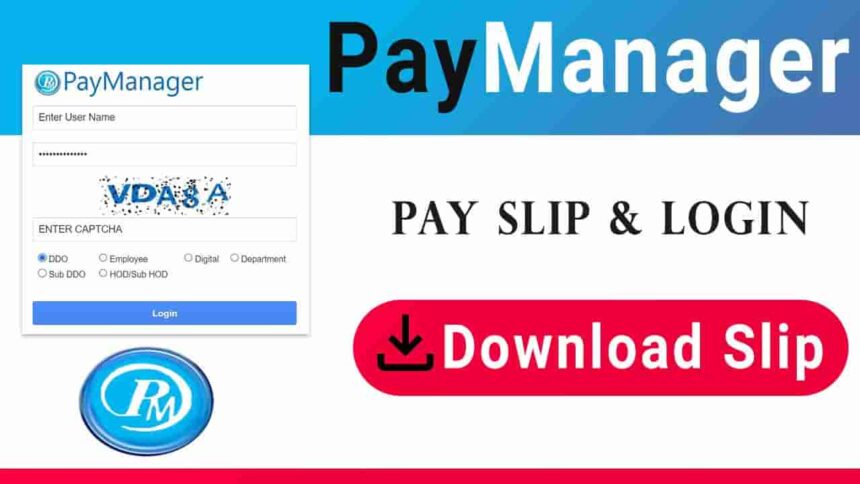
PayManager is the Pay Bill Preparation System which meant for the Employees of the Government of Rajasthan State. This portal was created by the Rajasthan government. PayManager system is designed by the Finance Department of Rajasthan State.
It allows you to access e-salary, Paymanager login, pay bills, bonuses, bank registration, HOD registration, password reset, and IFMS circulars.
What is Paymanager?
PayManager is software used to prepare pay bills for government employees in the state of Rajasthan. If you are an employee of the Rajasthan government, you can use this portal. To use it, the employee will first have to login with his user ID and password. PayManager provides a variety of services typically related to a government employee’s service.
It is mainly used for salary, bill and banking related work of the Government employees of the state. The state government has created PRI-PayManager for government employees in the state’s Panchayat areas, which is part of PayManager. This portal also performs similar functions to PayManager. However, it is used by Panchayati Raj employees. To do this, visit the official website: https://pripaymanager.rajasthan.gov.in
Key Features of PayManager
Salary Processing: Automates the calculation of salaries, deductions, and allowances.
Leave Management: Tracks employee leave and integrates it with payroll.
Tax Management: Calculates and manages tax deductions and filings.
Employee Self-Service: Allows employees to view their salary slips, tax details, and leave records.
Integration Capabilities: Integrates with other government systems for seamless data transfer.
Paymanager Login
- First, open the PayManager login page.
- Enter your Username and Password.
- Then, enter the Captcha Code correctly.
- After this, six options will appear – (a) DDO, (b) Employee, (d) Digital, (c) Department, (e) Sub DDO and (f) HOD / Sub HOD. Select any one whose login ID is present.
- Now, click on the “Login” button.
eLabharthi Bihar : Social Security Pension Payment System
Salary Slip Status in Paymanager
First of all login to the official site with your ID.
After logging in, click on “Employee Corner”.
Then, select ‘TA Medical Bill’ and choose “Bill Wise Status”.
Then, select ‘Year’ and ‘Month.’ Now, under ‘Bill Type’, select ‘Salary.’
Bank registration process
- First, click on the link for ‘Paymanager Bank Registration’.
- Then, enter your “First Name” and “Last Name”.
- Then, select your ‘User Name’ and click on “Check Availability”.
- Select either Treasury or Bank.
- Select the Treasury or Bank name according to the option selected.
- If you selected Treasury, select the ‘Sub Treasury’ code.
- You need to fill in your “Address, Email Id, Phone Number, and Office Name.”
- Enter your password and re-enter it to confirm it.
- Enter your mobile number and click “Verify Contact.”
How to do HOD registration in PayManager?
There are two sections in HOD Registration – (a) Account Details and (b) Personal Details
(a) Account Details
- First, click on the HOD Registration link.
- Then, select your department under ‘Select Department.’
- Enter your IFMS username and password.
- Then, click “Verify Login.”
(b) Personal Details
- There will be two options in Search by – (1) Employee ID and (2) Nicuid. Select one of these.
- Then, fill in the NICUID / Employee ID.
- Enter Paymanager Name and ‘IFMS Name’.
- Now, fill in the Email ID and ‘IFMS Email Id’.
- Enter the Paymanager and IFMS mobile number. After this, fill in the ‘OTP Code’.
- Then, put a check mark on the DSC Certificate and Generate OTP boxes.
How to reset password?
If you forget your password, you can request a password reset. Follow the steps below to change your password.
- To do this, first open the ‘Forget Password (Employee Login)’ section of the official portal.
- Enter your Employee ID and bank account number.
- Then, enter the “Date of Birth” and enter the ‘Mobile Number’ as it is optional.
- Click on Verify Contact No. to verify. After this, click on “Submit Details”.
Types of logins in Paymanager
Various government employees can take advantage of the Rajasthan Paymanager portal, and each employee has a different login process. Currently, there are four types of login processes on this portal, as follows.
Bank Login: Bank login type is used for work related to banking department.
Department Login: It is logged in by the departments of Rajasthan so that they can monitor the work of the department.
DDO Login: It is used for bill payment, outstanding bills etc.
Employees Login: This login is used by Rajasthan government employees for tasks like salary slip download, salary details, etc.
Employee Increment Date Update
- First, login with your Employee ID.
- Then, click on ‘Employee Corner‘ and click on Update Emp. Pay Date in the ‘Master Data Report’.
- After this, the Type and Date will appear. Click ‘Edit’ for the date you want to change.
- As soon as you click Edit, the date will appear in the Date box.
- Now, you’ll need to change the date and upload a file. You can ask your superior for this.
- After uploading the file, click “Update.”
- This request will then be sent to the DDO. Once approved by the DDO, it will then go to the HOD for approval.
This portal is only useful for government employees of the state of Rajasthan. Through it, all government employees of the state can easily download their salary slips.