

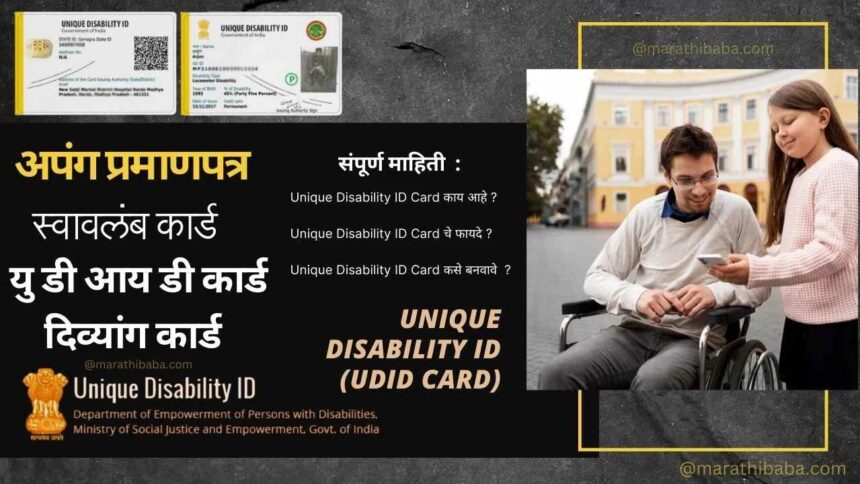
The UDID (Unique Disability ID) card is made available to persons with disabilities. If you or a family member have a disability, possessing a UDID card is essential. The Department of Empowerment of Persons with Disabilities, under the Ministry of Social Justice and Empowerment, has issued an identity card for all persons with disabilities, known as the UDID card.
The primary objective of the UDID card is to provide a universal identity card for persons with disabilities, thereby facilitating their access to various government schemes, benefits, and services. This article provides a detailed explanation of the processes involved in obtaining a UDID card, including online registration, logging in, checking application status, and downloading the card.
What is UDID card?
The Unique Disability ID (UDID) card is a 12-digit unique identification number issued by the Government of India to Persons with Disabilities (PwDs). This card is issued by the Department of Empowerment of Persons with Disabilities under the Ministry of Social Justice and Empowerment. It is also known as the Swavalamban Card. The card certifies the type and severity of the individual’s disability.
The objective of the UDID scheme is to bring persons with disabilities into the mainstream of society and provide them with equal opportunities. The UDID card facilitates the creation of a database regarding physical disabilities. This card helps persons with disabilities avail themselves of government services. Online registration is required to obtain this card.
What Does the UDID Card Contain?
The card carries more than just your name. Here’s what’s stored on it:
- Full name, date of birth, gender, and address
- Type of disability
- A unique ID number linked to a national database
- Medical assessment details
- Photograph
Submit the required documents
When applying online, you are required to upload scanned documents, whereas for offline applications, you must submit the original documents. The required documents include:
- Disability certificate
- Birth certificate and Aadhaar card for proof of age
- Aadhaar card and Voter ID card for proof of identity
- Passport-size photograph for this purpose
Disability Person Registration
- To apply, go to the ‘Apply for UDID’ page on the official portal.
- Select the application type and click the ‘Submit’ button.
- Enter personal details—such as name, address, mobile number, photograph, signature, and educational details.
- Next, you will need to fill in disability-related details, such as the onset of the disability, the type of disability, certificate details, and whether it is present from birth.
- In the subsequent step, enter employment details, such as income, occupation, and BPL status.
- Under ‘Identity Details,’ provide information regarding identity proofs like Aadhaar, a ration card, or other documents.
- Once all details have been entered, click “Submit.”
UDID Card Application Status
After applying for the UDID card, you can easily check the application status via the website. You can follow the steps given below to do so.
- First, visit the “Track Your Application” link on the official website.
- You will see four options to check the application status: UDID, Mobile Number, Enrollment Number, and Aadhaar Number.
- Select any one of these options and enter the corresponding number.
- Then, click the “Submit” button to view the current status of the application.
The UDID card aims to provide a uniform identity to Persons with Disabilities (PwDs) and store their information securely in a centralized digital database. This will help improve the delivery of benefits to citizens with disabilities across sectors such as health, education, and employment.
Disability ID card is a big step towards an inclusive India. It allows access to government schemes and services across India. The UDID card is valid across all states of India.