

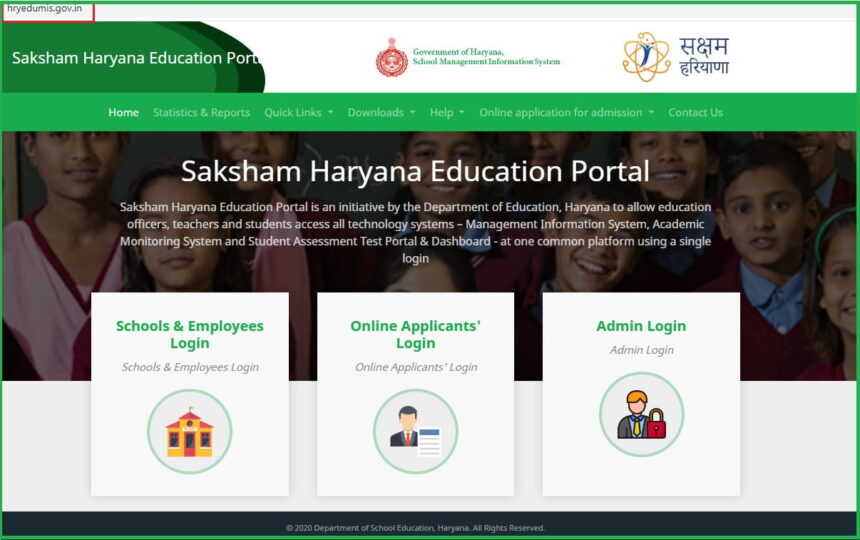
MIS Portal Haryana is a Management Information System (MIS), which is mainly aimed at digitizing and managing various educational activities related to schools, teachers, staff and students online in the Education Department of Haryana state. Only students, teachers and education officers can use this portal.
Through this portal, teachers, students, or education department officials in Haryana can obtain education-related information. This article details information related to the MIS Portal in Haryana, such as MIS Portal Login, SAT Report, and password reset.
MIS Portal Haryana
The MIS Portal was created by the Haryana State Education Department. This portal allows teachers and school staff to manage their transfers, student admissions, name deletions, SLC issuances, and student bank account details. State teachers, students and department officials can take advantage of this portal.
Teachers will also benefit from the MIS portal in Haryana, and new systems like the Teachers’ Diary are being implemented online on this portal, allowing teachers to fill out their daily teaching diaries online. To avail the benefits of MIS Portal Haryana, students have to register by visiting the official website.
Services available on MIS Haryana portal
The system facilitates profile management, attendance tracking, transfer processes, merit point calculation, and various other administrative functions.
- Online Application for Admission
- Management Information System
- Students Assessment Data Entry and Dashboard Login
- Statistics & Reports
- Apply for Admission of your all students
Required Documents for Saksham Haryana Education Portal
- Applicants Aadhaar card.
- A recent passport size photo.
- The user should be from the BPL family category.
- Bank account details.
- Caste certificate
- Disability certificate.
MIS Portal Haryana login
The portal is divided into three main login steps: School & Employee, Applicant’s, and Admin Login. Follow the steps below to login.
- First, open the MIS Portal login page – https://mis.oneschoolsuite.com/
- Then, enter your Username and Password.
- Then click the “Sign in” button.
- After logging in, the dashboard will open.
How to reset password?
- To do this, first open the MIS Portal website.
- Click on the Login option available on the home page. Click on the ‘Forget Password’ link below the login button.
- Then, enter “Username” in the box and click “Submit.”
- After this, enter the captcha code and click “Proceed.”
- You will now see your mobile number and email address. Select one of these to receive the verification code. Then, click “Proceed.”
- After this, verify the OTP. Now, create a new password.
- Enter the password in the ‘New Password’ and ‘Confirm Password’ options.
- Then click on “Change Password.”
The MIS Portal was developed by the Haryana state government and is used by teachers, students, and education department employees in the state. You can apply for admission for all your children through this portal.
Conclusion
The MIS Portal Haryana stands as a cornerstone of the state’s digital education revolution. The portal enables seamless communication between different levels of the education department. Haryana students in various levels can utilize the portal to register, apply, download, online results and log in.
FAQs
What is the official website for MIS Portal Haryana?
The only official website is https://mis.oneschoolsuite.com/.