Internal Link Audit With Screaming Frog (Complete Guide)
Internal linking plays a vital role in SEO success and user engagement. Learn how to use Screaming Frog to analyze and fix your internal linking.

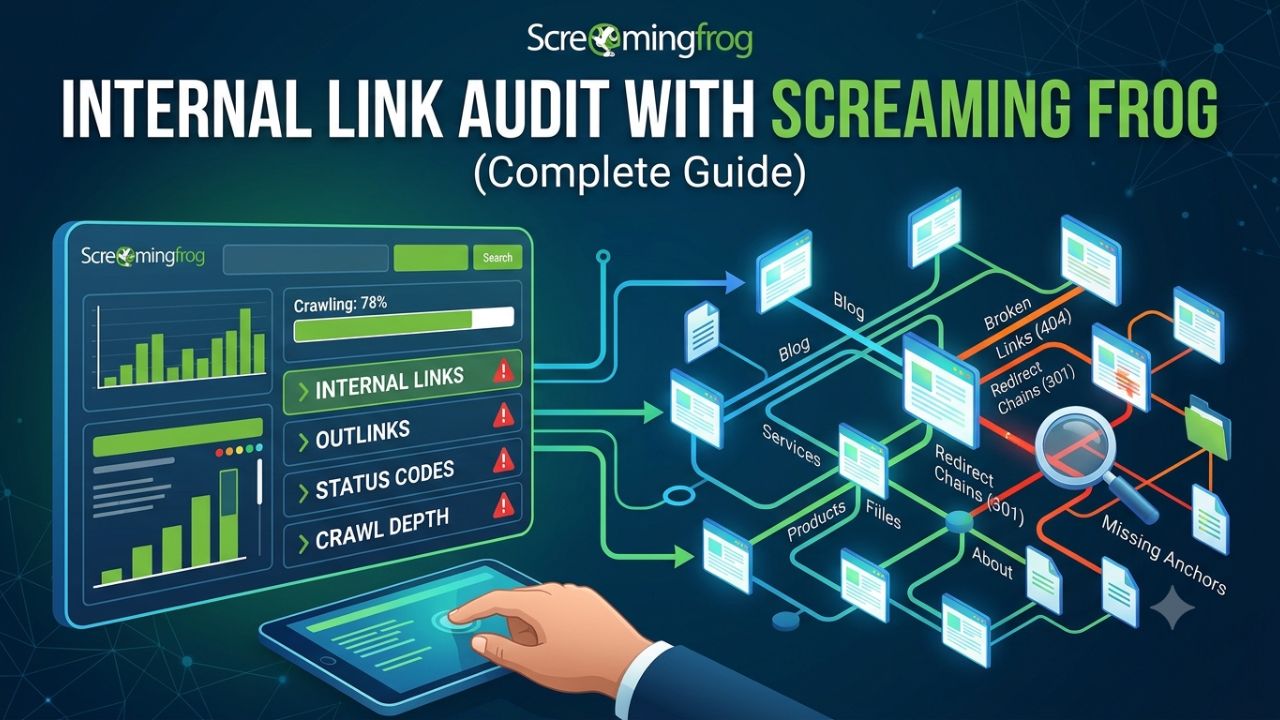
Internal links are hypertext links that connect one page of your website to another. Internal linking plays a crucial role in website performance and user experience. A strong internal linking strategy helps search engines find and rank your content.
For users, internal links enhance navigation, making it easier to find relevant information. So, in this complete guide, we provide a comprehensive strategy for your internal linking strategy.
What is Internal Linking?
Internal links are hyperlinks that connect one page to other page within the same domain. A smart internal linking SEO strategy improves crawlability. Internal linking directly impacts your ability to rank.
In HTML, an internal link looks like:
<a href=“https:yoursite.com/”>anchor text (the text that contains the link)</a>
There are two general types of internal links: contextual and non-contextual. Each is necessary to improve user experience and SEO.




Why Internal Link Audit Matters for SEO
Internal links are links that connect your previous blog posts to new ones. The primary purpose of internal linking is to encourage users to explore more content on your website. But there is more to it.
1. Improved Crawling and Indexing
Search engines use ‘crawlers’ to discover content. Once these crawlers reach your website, they follow internal links to find new pages. This helps search engines index those new pages.
If you publish new content without any internal links, crawlers have no way to reach it. However, when you add internal links to your new content from existing pages, it becomes easier for Google to index that content.
2. Link Equity Distribution
Link equity—sometimes referred to as ‘link juice’—is a form of SEO value that passes from one page to another. When new pages receive a greater number of internal links from high-authority pages, their chances of achieving better rankings increase.
Consequently, you can pass a portion of that authority to a new post by linking to it from pages on your website that are already ranking on Google.
3. User Experience and Engagement
Internal links aren’t just for search engines. They help keep your readers more engaged with your website, encouraging them to stay longer. Furthermore, by adding internal links to your website’s pages, you can reduce your site’s bounce rate.
How to Set Up Screaming Frog
Using Screaming Frog SEO Tools is extremely easy, and its free version allows you to crawl up to 500 URLs, which is sufficient for a small website. It provides information regarding your site’s technical aspects, on-page elements, and site structure.
Steps to Set Up:
- Download and install Screaming Frog SEO Spider from its official website.
- Open the tool, and in its search bar, enter your website URL.
- Hit “Start” to initiate the crawl.
Performing an Internal Link Audit
Performing a thorough internal linking audit is crucial. Identifying and managing internal links can be a time-consuming process. For this you can use online tools. There are two easy ways to analyze your site’s internal linking SEO performance: Screaming Frog and Google Search Console.
Step 1: Auditing Links with Screaming Frog
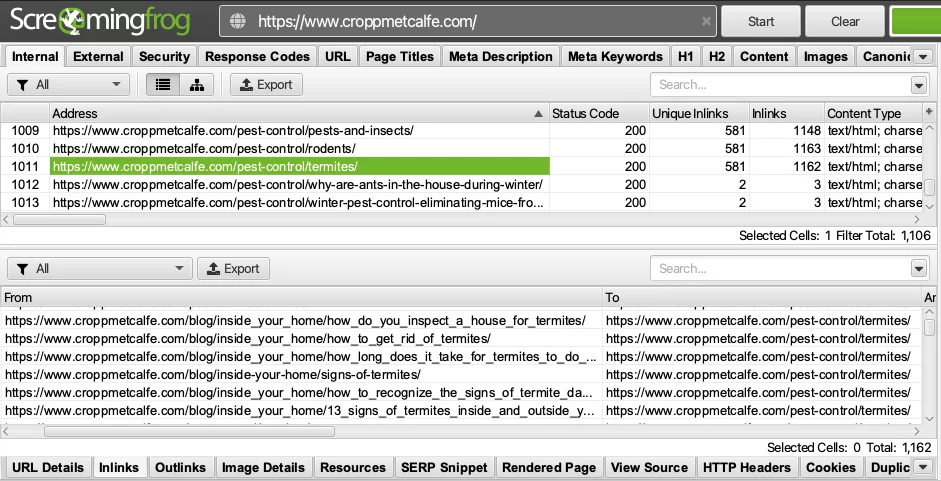
Screaming Frog crawls your website and provides essential technical data, such as information on internal linking, external linking, metadata, and response codes. Its free version allows you to crawl up to 500 URLs.
When you enter your website’s URL and begin the scan, the tool starts auditing all the pages present on the site. Once the crawl is complete, a list of internal links for all your pages will be displayed.
Step 2: Identify Your Orphan Pages
You can now generate a list of orphan pages on your website. Additionally, you can identify your website’s high-performing pages—those that have attracted a significant number of backlinks—and add internal links from them to other pages. This process is one of the highest-ROI internal linking moves you can make.
Step 3: Build Topic Clusters With Internal Links
You can create ‘Topic Clusters’ pages to strengthen internal links on your website. Alternatively, if you have already implemented extensive internal linking across some of your existing posts, you can create new posts that align with that structure.
For example, if your pillar page covers SEO basics, your cluster posts might cover keyword research, on-page SEO, and link building. Related cluster posts should also link to each other where it makes sense.
How Many Internal Links Per Page?
There’s no magic number. According to Google’s official guidance, every page should have at least one internal link, though you can certainly include more. In practice, a good rule of thumb is 3 to 5 contextual internal links per 1,000 words of content.
Frequently Asked Questions
What are internal links?
Internal links are hyperlinks that connect one page to another page on the same domain.
Why are internal links important for SEO?
Yes, Internal links help search engines discover and index new page and build topical authority.
Conclusion
Conducting a link audit for your website from time to time is essential. Many websites fail to link their pages correctly, or they overuse links to the point where it becomes counterproductive. This is why using a tool like ‘Screaming Frog‘ can help you implement an effective internal linking strategy.
With Screaming Frog, you can easily optimize your website’s internal structure. It allows you to systematically identify keywords that are not yet linked to any page.