Best Security Apps to Protect Your Android Devices
When choosing an Android security app, it is important to consider your specific needs. Here we have provided insights on Best Security Apps.

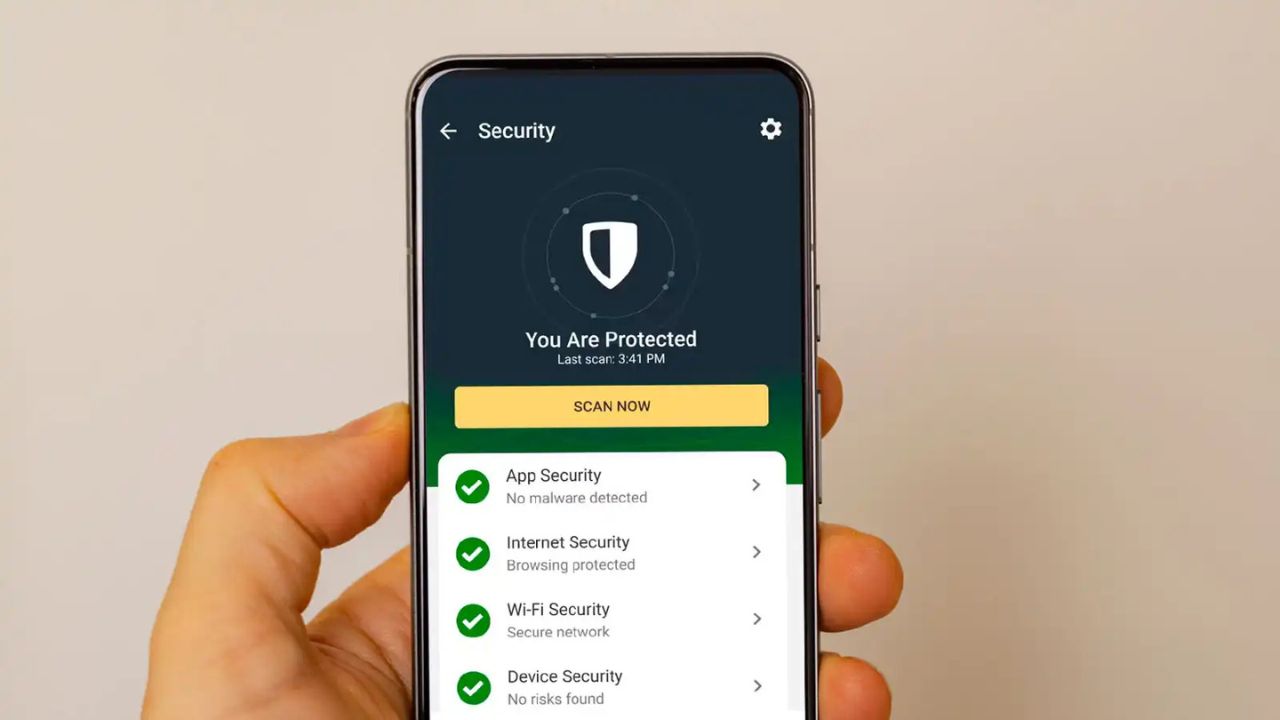
Smartphones have become an essential part of our daily life, used for doing shopping, banking, and online payments. Installing right best security apps for Android helps to protect personal data and bank accounts.
This is why it’s crucial for smartphones to be secure. These vulnerabilities arise primarily due to a lack of security updates. More than 25% of the Android versions will not receive security patches. The following apps will help you to protect your Android devices from online identity & security threats.
Popular Antivirus Apps for Android
| App Name | Benefits | Free/Paid |
|---|---|---|
| Bitdefender Antivirus | Best all-round antivirus app with robust protection and less impact on your smartphone battery. | Free, Paid |
| AVG Antivirus | Best free option with improved user peace of mind and secure browsing. | Free, Paid |
| Norton Mobile Security | Best paid option if you frequently download apps from third-party websites. | Paid |
| Bitwarden Password Manager | Stores unlimited passwords securely and syncs them across your devices for free. | Free, Paid |
| Dashlane | Best paid password manager with VPN support. | Paid |
| 1Password | Best affordable password manager with the best user experience. | Paid |
| Proton VPN | Best free VPN with unlimited data and limited servers. | Free, Paid |
| NordVPN | Best paid option with reliable connectivity and broad server support. | Paid |
| Signal | Best messaging app with a cleaner interface and secure conversations. | Free |
| App Lock by Inshot | Best app locker with a vault to protect your photos and videos. | Free |
| App Lock Pro | Adds extra protection with app locks, intruder selfies, and hidden notifications. | Free, Paid |
| Brave Browser | Best lightweight browser with advanced blockers. | Free |
| DuckDuckGo Browser | Completely privacy-focused browser with its own privacy-focused search engine. | Free |
| Crook Catcher | Best anti-theft app that captures photos and tracks your phone’s location. | Free |
Best Security Apps for Android
Modern antivirus apps offer more than just virus protection. I have tested these apps on various security scenarios. See the list below for our top picks, and keep reading to find out our expert recommendations.
1. Avast Mobile Security
Avast is a great app to provide your Android phone protection against viruses. It can free up available RAM, reclaim storage space by deleting junk, and check both the safety. Avast’s Smart Scan monitors for malware, alerts you to vulnerable Wi-Fi network.
Beyond antivirus protection, Avast offers other security features, including protection photos, locating a lost or stolen phone, protect online scams, and removing junk files.




Features of Avast Mobile Security
- Provides anti-theft support
- Grants classic single tap antivirus scanning
- Shows the time you spend on each app
- Junk Cleaner for wiping cache and residual files
- Photo vault for securing photographs against unwanted access
- Web shield for secure web browsing
2. TotalAV
TotalAV Mobile Security offers a decent range of features in the free version. The app is also incredibly easy to use, so it’s a great choice for beginners. Overall, the free version of TotalAV is decent, but if you’re looking for more advanced protection.
Features
- Scans files, downloads, and removable media to block active malware
- Offers Quick Scans, Full System Scans, Smart Scans and custom scan
- Blocks phishing sites, online scams and spoofed web pages
3. Kaspersky
Kaspersky is a well-known name in the cybersecurity space. Besides, it also pings you when a new device connects to your WiFi network. Overall, it provides Kaspersky 360-degree protection with free plan. Its one-tap antivirus scanner performed very well in my tests.
- Real-time malware protection
- Remote wipe and Find My Device capabilities
- Anti-phishing mechanisms
- Safe browsing and messaging
- A password manager for enhanced security
- Virtual private network (VPN) and more
4. Norton 360 Mobile Security
Norton 360 mobile security covers all bases to offer complete peace of mind. It offers advanced malware protection and more internet security protections than almost any competitor. We think Norton 360’s Android app is extremely beginner-friendly.
Features of Norton Security and Antivirus
- Wi-Fi security to notify you about unsecured connections
- Feature to trigger an alarm to find your missing device
- A safe Search feature that alarms you during browsing on unsafe websites
- Feature to remotely lock your device
- Call or SMS blacklisting
- Feature to take photos of your potential phone thief
5. Bitdefender Mobile Security
Bitdefender Antivirus is an intuitive Android app that comes with excellent malware detection. This is also where you extend protection to your other devices running Android, as well as iOS, Windows, or macOS.
- Malware detector
- Internet security
- Breach alert
- App locker
- VPN
- Anti-theft, etc.
Bitdefender antivirus protects your Android device against online threats. It help to malware detection and real-time protection for your devices. Besides, its autopilot mode recommends security actions based on usage.
Quick comparison of Android security apps categories
| Category | Examples | Protects against | Doesn’t protect against |
|---|---|---|---|
| Antivirus | Kaspersky, Avast, Bitdefender | Apps and files containing known malware | New scam websites, phone scams |
| Scam website blocking | SafePhone, Google Safe Browsing | Phishing links, fake pages | Malware already installed on the phone |
| App lock | AppLock, Norton App Lock | Others opening apps when holding your phone | Remote attacks, phishing |
| VPN | NordVPN, ExpressVPN | Eavesdropping on public WiFi | Scam sites you open yourself |
| Network monitoring, anti-tracking | GlassWire, DuckDuckGo | Apps sending data abnormally, trackers | Scam sites, undetected malware |
Choosing the top Android security apps is a matter of matching your personal needs. You can choose an antivirus, VPN, and app lock for your Android device. All of these serve to protect your device.
FAQs
Are free Android antivirus apps worth it?
Free antivirus is better than having no antivirus. Many free versions help flag malicious links and SMS phishing attempts
What’s the best free Android antivirus?
Bitdefender Mobile Security has an excellent track record in independent tests.
Can antivirus apps block scam websites?
Antivirus apps include web protection, but their focus is malware.
Is it better to install several security apps at once?
Not necessarily. Multiple apps slow down your phone, and drain the battery.
Conclusion
All the Android security apps mentioned here include an antivirus component that scans apps. In addition, all these security tools check your installed apps for potential privacy problems. There are even fake antivirus apps that are actually malicious files themselves.
Antivirus application is not mandatory, but it is essential to protect your device. These were our few picks for the Best Android antivirus applications.