Laptop Buying Guide – How to Choose the Right Laptop
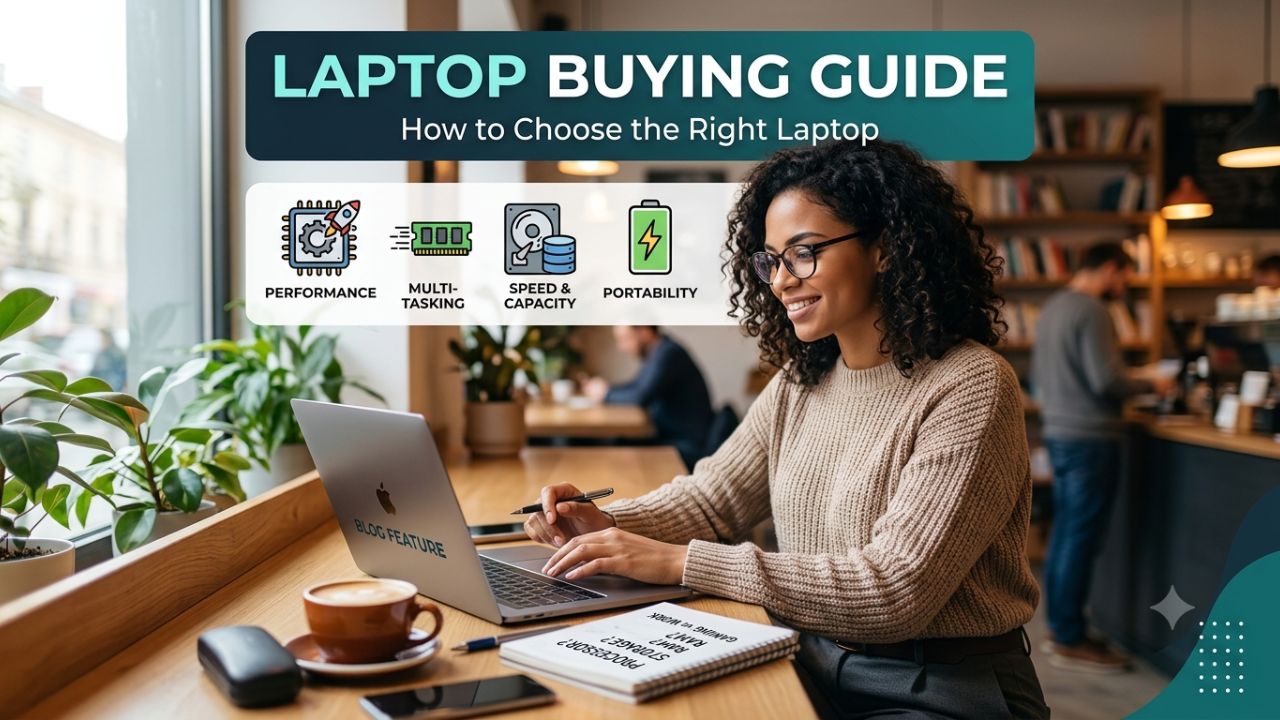
Looking to buy the perfect laptop? This ultimate laptop buying guide helps you choose the right laptop, whether you’re a student, professional, gamer, or content creator.
The performance of any laptop primarily depends on six key factors: processor, RAM, storage, graphics, battery, and operating system. It is crucial to consider all these aspects when shopping for a laptop.
If you are planning to buy a new laptop, it is important to keep a few things in mind. After reading this article, you will easily understand which laptop is suitable for you.
People often buy laptops based on current trends or by imitating others, only to find that the device does not suit their specific needs, leading to later regret. In this article, we discuss the important factors to check when purchasing a laptop.
Laptop Buying Guid
There are many types of laptops available in the market, but you should choose the right one based on your specific needs. If you enjoy gaming, having sufficient RAM and a good graphics card is essential. Here, we are sharing some tips to help you select the right laptop.

Leptop Screen Size
The screen plays a crucial role in any laptop. Whether you are watching movies or playing games, a larger screen enhances the experience. However, since very large screens can be difficult to carry around, a 15- to 17-inch laptop is an ideal choice, ensuring you face no trouble taking it with you wherever you go.
If you are a student and need to carry your laptop around frequently, you should opt for a model with a smaller screen size. However, if you are purchasing a laptop for graphics work or editing, a larger screen size would be preferable.
RAM
When using a laptop, most of the data from the applications and files you open is stored in the RAM. The more RAM a laptop has, the better its performance will be. If your tasks are light, then 4GB to 8GB of RAM would be sufficient.
What are the different types of RAM?
Nowadays, two types of RAM are available in the market. You can use them according to your budget and requirements.
- DDR3: It is slightly slower and consumes more power.
- DDR4: It is faster and consumes less power.
Laptops with 2GB, 4GB, 8GB, and 16GB of RAM are currently available in the market. The RAM used depends on the processor.
Processor
The processor is the most crucial component of any laptop; the better the processor, the more efficiently the laptop will operate. It determines the laptop’s speed and performance. If you want good speed, you should opt for a laptop equipped with an i3, i5, or i7 processor.
Laptops featuring the following Intel processors are currently available in the market: Atom, Celeron, Pentium, Core i3, Core i5, and Core i7. The more cores a processor has, the faster its speed.
Hard Disk
Hard drives are used to store files on a laptop. There are two types: SSDs offer less storage capacity but provide high speeds. You can use a hard drive ranging from 500 GB to 1 TB, depending on your needs.
Based on speed, internal storage is also of three types:
- HDD (Hard Disk Drive)
- SSHD (Solid-State Hybrid Drive)
- SSD (Solid-State Drive)
In terms of speed, the SSD (Solid-State Drive) is the fastest, although it is very expensive, whereas the HDD (Hard Disk Drive) is the slowest.
Laptops equipped with SSDs load Windows or the operating system within five seconds. Internal storage options of 500 GB, 1 TB, and capacities exceeding 1 TB are available to suit your needs.
Leptop Company
Whenever you plan to buy a laptop, make sure to do some research on the brand. Avoid purchasing laptops from local brands. Also, check for the availability of service centers so that you can easily get the laptop repaired if any issues arise.
Battery Power
If you face frequent power outages, the battery becomes a crucial factor for you. Laptop batteries vary in capacity; some last 6 to 8 hours, whereas batteries from local brands often drain within just 2 to 3 hours. If you travel frequently, look for a laptop that offers good performance along with a long-lasting battery.
Budget and Needs
It is important to identify your needs and purpose before buying a laptop. Are you a gamer, or a professional seeking high-performance computing tailored to your requirements? Understanding your needs will help you purchase the right laptop and also assist you in setting a budget for it.
Conclusion
Choosing the right laptop is about balancing performance, portability, battery life, and budget. Laptops with varying specifications are available in the market, catering to different price points and performance needs; generally, the better the configuration, the better the laptop.
A laptop with the right processor, sufficient RAM, fast SSD storage, a quality display, and dependable battery life. It is crucial to keep these factors in mind when purchasing a laptop, as overlooking any of them could lead to a significant loss.
Frequently Asked Questions
Should I consider refurbished laptops?
Refurbished laptops are always worth considering for a budget-friendly laptop.
How Much RAM Is Enough?
For most people, 16GB is the comfortable middle ground: enough for browser tabs and office work.
What Is the Best Laptop for Working From Home?
A lightweight design, a good webcam, strong Wi-Fi, and powerful battery that survives back-to-back calls make daily use much easier.
Disclaimer: The content of this article is for informational purposes only and should not be considered financial or investment advice.