Nano Banana Pro is Google’s image generation and editing model. It is designed to create complex visual content, including infographics, text-in-image visuals. Nano Banana Pro is gaining popularity much faster now.
Google Nano Banana Pro opens up creative ways to make isometric weather scenes, room previews, restored photos, sketches and expressive 3D caricatures with simple prompts.
What Is Nano Banana Pro
Google has recently introduced its latest Nano Banana Pro model for improve your storytelling, build a brand, and make infographics in no time. It is even more polished, powerful, and efficient.
Best Nano Banana Pro Prompts You Should Try
This guide is for beginners. No complicated words. Just copy the prompts and get amazing results. Here are some of the best Nano Banana Pro prompts we suggest you to try.
1. Restore Old and Damaged Photos
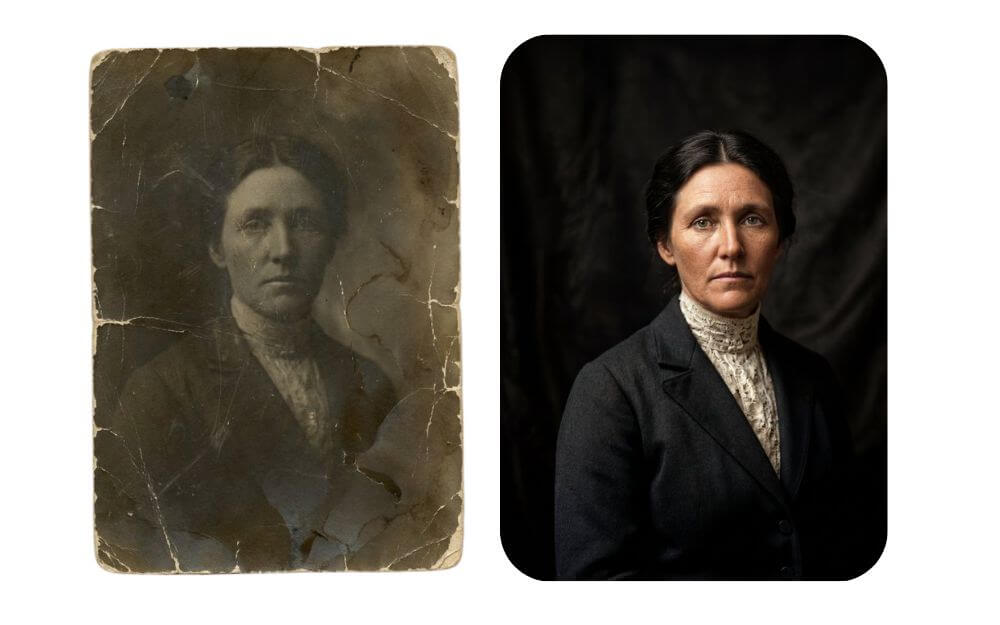
Prompt: Faithfully restore this image with high fidelity to modern photograph quality, in full color, upscale to 4K




Nano Banana is very good at upscaling the images or fixing old and damaged photos. You can upload the image and use the prompt to get the best results. Nano banana pro fix image resolution to 4k, making it high-quality images.
2. Turn Any Images Into Sketches
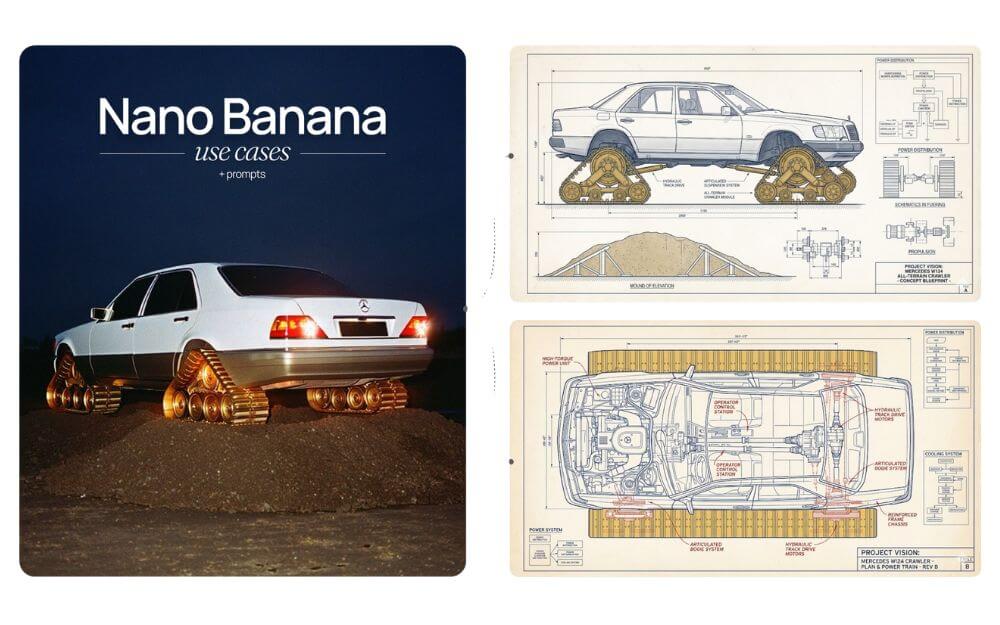
Prompt 1: Create a technical drawing of this photo, make it [visionary]
Prompt 2: (Turn technical drawing into a 3D model): Create a 3D model from the provided 2D engineering drawing. Create front, side, top, and back views in isometric perspective, white background.
Nano Banana Pro is best for generating sketches of the image or even an accurate technical drawing of the photos. You can also convert blueprints into 3D objects.
3. Create step-by-step recipe infographic
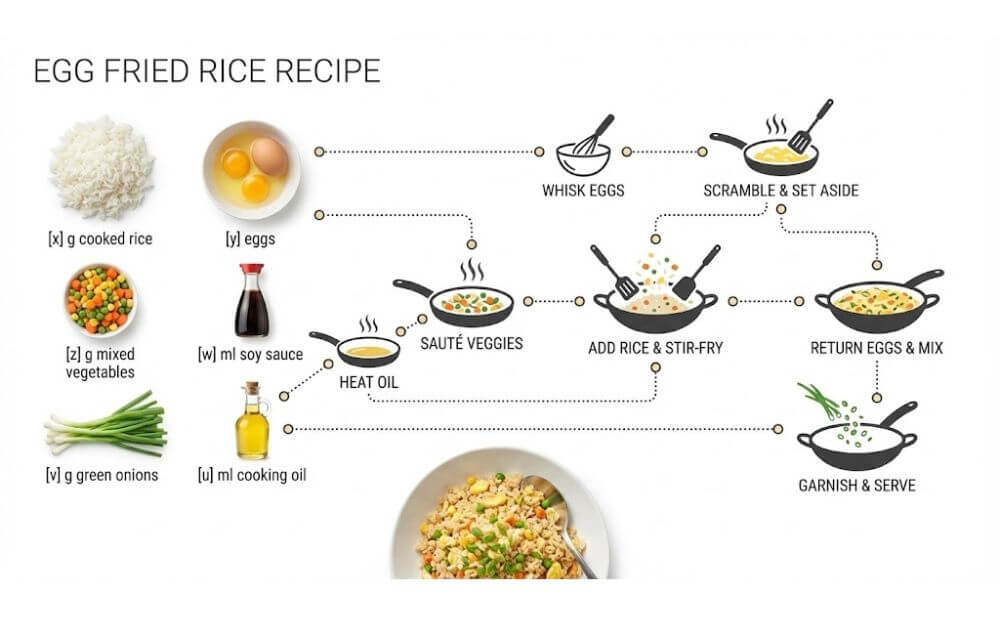
Prompt: Create a step-by-step recipe infographic for [bolognese pasta], top-down view, minimal style on white background, ingredient photos labelled: “[x] g spaghetti”, dotted node lines showing process steps with icons, final plated pasta shot at the bottom.
Nano Banana Pro is very good at text that is superior to any other image model. Here is the prompt I found to generate a step-by-step recipe for any dish.
How to use Nano Banana Pro step by step
You can use Nano Banana Pro through Gemini and Google AI Studio. Although the interface may vary slightly, the underlying methodology remains the same.
Select the correct model: In Gemini, choose the Thinking model or Nano Banana Pro / Gemini 3 Pro Image in the image creation panel.
Upload your reference images: You can add product photos, sketches, moodboards, floor plans to guide the scene.
Paste a structured prompt: Use the prompt formula below or copy one of the 25 examples from this page.
Generate and review: If something feels off, adjust only one or two elements at a time instead of rewriting the whole prompt.
Frequently Asked Questions
What is Nano Banana Pro?
Nano Banana Pro is Google’s state-of-the-art AI image generation. It’s a short AI prompt style that creates clean, realistic images quickly.
Are these prompts good for business use?
Yes, they are great for product photos, ads, websites, and online stores.
Conclusion
Nano Banana Pro is trending because it gives faster, more realistic results. You can use these prompts on Midjourney, Leonardo AI, Flux, ideogram and more platform.